 Multicoder
Multicoder
Multicoder
One UI for every coding agent.
Use whichever coding agent works best. Full VS Code integration for Claude Code, Codex, Copilot, OpenCode, Qwen, Pi, Hermes and many others — via ACP.
- switch between multiple agents
- want more visibility into what an agent did
- want real VS Code integration
- prefer a graphical interface over the terminal
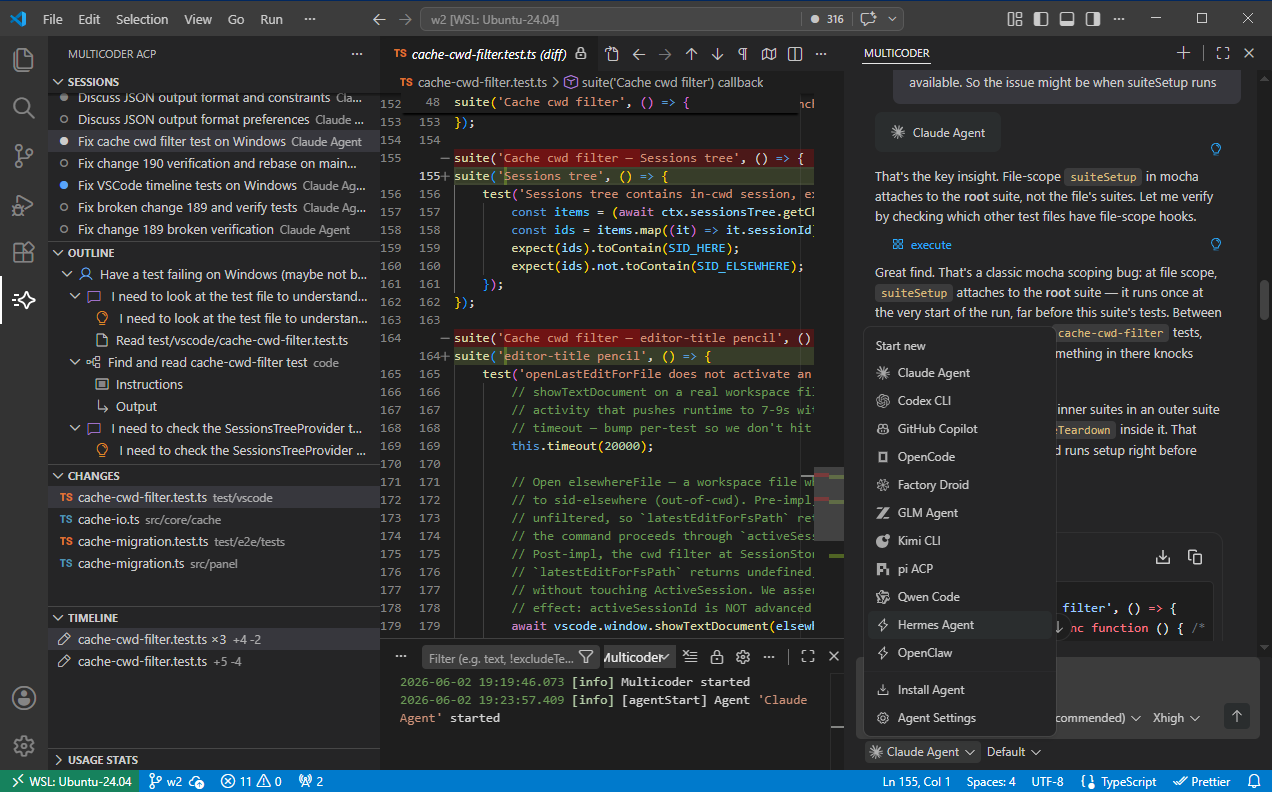
1-click install for 35+ agents
the ACP registry → Claude
 Codex
Codex Copilot
 OpenCode
 Qwen Code
 Gemini CLI
 Cursor
 Devin
Devin goose
goose Kimi CLI
 Mistral Vibe
 Junie
Junie Cline
Cline Amp
Amp Factory Droid
 Grok Build
 Kilo
Kilo Poolside
 Auggie CLI
 Pi
PiMulticoder talks to agents over the Agent Client Protocol — an open protocol for connecting coding agents to editors.
Many agents support ACP natively (Copilot, OpenCode, Qwen, Hermes); for the rest (Claude Code, Codex, Pi) a wrapper translates the agent's SDK to ACP.
Agents still run as local subprocesses, in your environment, with your own accounts and API keys. Multicoder just provides a common UI and a management layer.
Install Multicoder from the VS Code marketplace.
Open the Multicoder chat panel. Agents already installed on your machine are detected automatically.
To add one, pick Install Agent from the agent dropdown and choose from the registry.
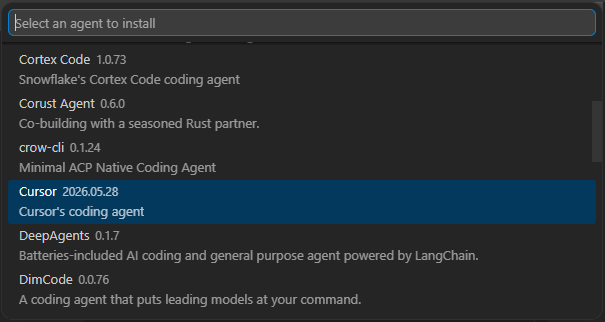
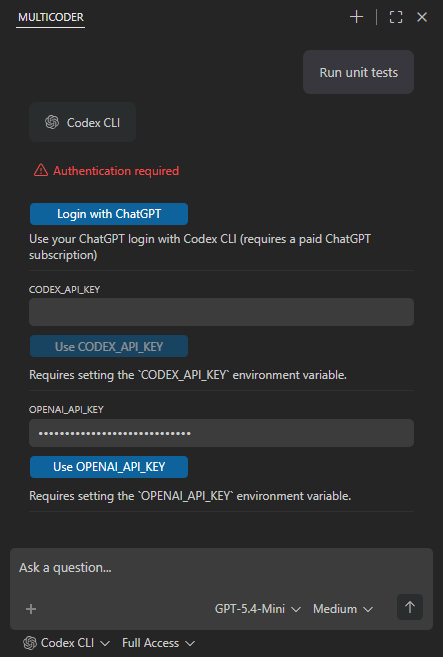
Select the agent, type a prompt. If the agent needs authentication, the chat panel walks you through it.
Features
ui-elements.png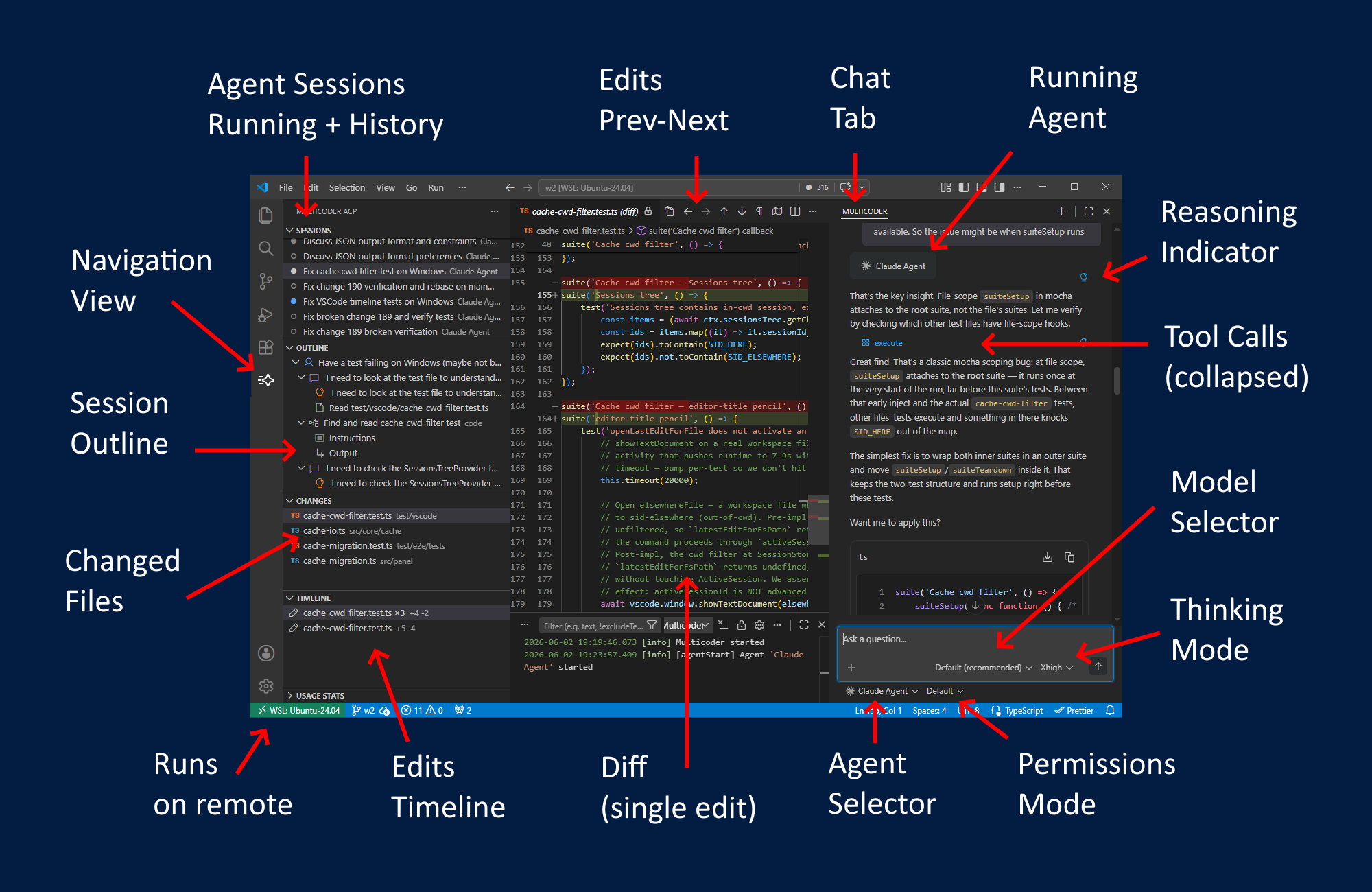
Watch the agent work
The transcript shows everything: reasoning blocks, tool calls (collapsed until you open them), subagent runs with their own instructions and output. The Outline view jumps to any point in a long session.
Every edit tracked
The Changes view lists the files a session touched. The Timeline shows each file's change history. Open the aggregated diff for a file, or step through individual edits with prev/next in the editor.
Sessions
Running and finished sessions in one list, with time filters. History from the agent's CLI syncs in. Sessions survive window reloads and workspace switches — agents keep working.
Tune per session
Model, thinking level, and permission mode selectors sit under the input. Choices persist per agent.
Permissions
Tool calls wait for your approval — allow or reject inline. A permission mode selector sets how much the agent may do on its own.
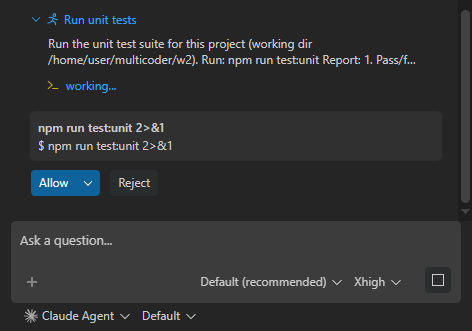
Auth built in
When an agent needs credentials, the chat panel shows that agent's options — subscription login or API key. No config files to hunt down.
Works where VS Code works
Remote workspaces included — the agent runs on the remote host, next to your code.
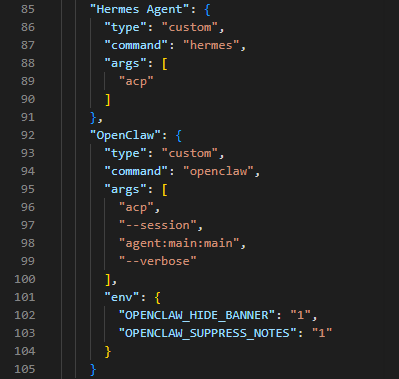
Settings live in ~/.multicoder/settings.json (schema-validated; open it with the Multicoder: Edit Settings command). Any ACP-compatible agent can be added by hand under agentServers — command, args, env.
Agent sessions are managed by a small local server that outlives the VS Code window — that's what keeps agents working across reloads. By default it picks a free port; set "port" in settings.json to pin one (useful for firewall rules). The Multicoder: Stop Server command shuts it down.